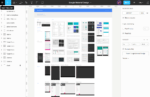
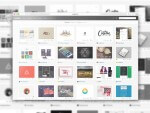
This week I started using the new Adobe Experience Design (XD) and I have to say I am quite impressed with it. Still in a Beta version, if we compare to sketch, some important features are still missing, but in generally the ones available for the moment are enough to start a project and considering the collaborative options already working plus the prototype features this tool finally becomes a good option to Sketch.
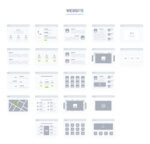
So today we share here a very complete wireflow kit ready for Adobe XD.
Well today I’m glad to share here a cool tool that could be a good replacer for Sketch, it’s called Sigma and it assumes to be the first interface design tool with real-time collaboration.
Figma collaboration features
Very similar to Sketch this powerful tool is browser-based and because of that it naturally becomes multi-platform (Windows, Mac, Linux).
Import Sketch files.
Another important detail that could make the difference is the possibility to import Sketch files, this could be very useful for those that don’t have a Mac since Sketch for the moment only works there.
Vector Networks is the Figma innovation to deal with paths. Instead of using paths like other tools, Figma is built on what they call vector networks, it’s compatible with paths but offers more flexibility and control.
Free flowchart kit for sketch it’s a perfect tool for web designers who want to create sitemaps in minutes. Project managers, web developers, who want to build their sitemaps without spending hours on the process, will be able to do it with this fully customizable and scalable vector elements with 3 pre-defined color themes for creating fast sitemaps and wireframes.
Chat UI kit it’s one of the most complete kits available for free I have seen. Following the present trends of the flat aesthetic, the design is clean, simple and objective, with the advantages of vector shapes, it’s scalable keeping the same high quality.
With this you will get 60 templates, 12 categories, and 80 UI elements—optimized and retina–ready. Based on the standard , 12 column grid the designed components fit together perfectly. Created by Invision, this kit will help designing beautiful, high-fidelity prototypes with InVision, and share them with stakeholders for better feedback.
This free UI chat kit it’s available for free in two formats sketch and Photoshop. Don’t miss it it’s a very useful design resource.
This free front end framework for sketch is a very complete technical start guide. The author explains step by step is creation process, exposing some cool sketch features for thoses who are starting with this cool program. The article also gives some very useful recommendations for web designers who want to achieve better results increasing productivity, it refers some good practices for team work showing a very complete organizational structure divided in six principal points:
Styling: color palette, font-family, typography, Icons.
Layouts & page patterns: different compositions, grids and main navigation.
In the end of his cool article Seba Mantel shares his framework. So if you want to start using sketch or if you already do it but want to increase your workflow, this is certainly for you. If you like it, don’t forget to give some good feedback to the author, he really deserves it.
Merkury Dashboard UI Kit is a free template made in photoshop ( .psd ) it’s clean and it could be a good resource if you need to do something similar. It’s made of six screen cases
It’s simple but in this business is one of those mockups really useful specially when you are running out of time. As the author description says, it’s super professional and can be used with multiple variations. Drag&Drop smart objects, perfectly layered and grouped, with 3 scenes, looks great also without browsers header bar. High quality resolution (4000px * 3000px)
This Safari browser mockup is free for personal and commercial use.
We use cookies to ensure that we give you the best experience on our website. If you continue to use this site we will assume that you are happy with it.